VAULT
LiteA place for your secrets. Not anyone else’s.
Encrypted local storage for the things that can’t leak — API keys, bearer tokens, client secrets. Used by your requests, never shown on disk, never synced.
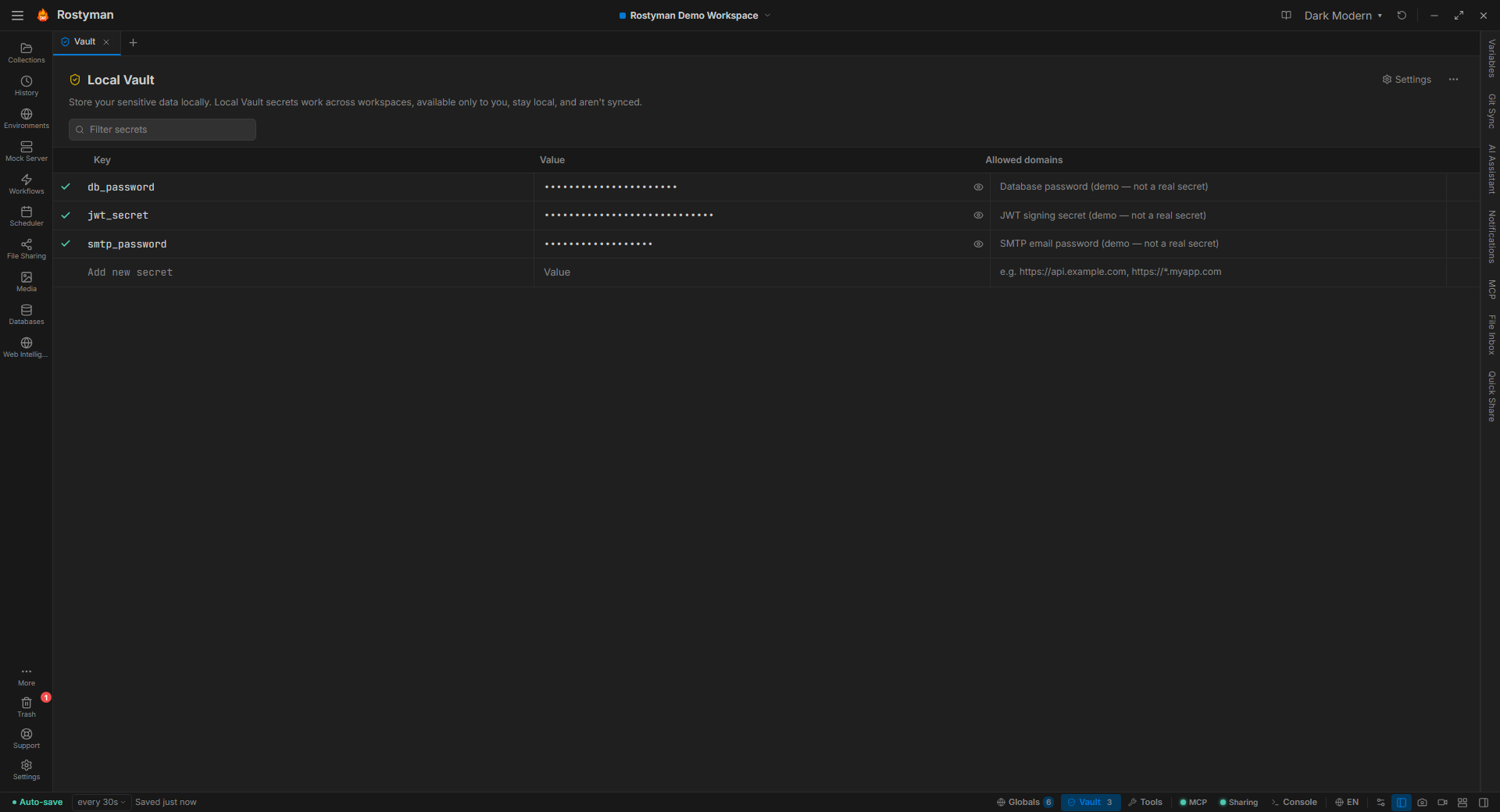
Why this is different
Many API clients store credentials as regular environment variables that sync to the cloud alongside your collections. One accidental share and your production keys are on someone else’s machine. Rostyman keeps secrets in a separate, OS-encrypted store that never leaves your device — enforced by design.
Four hard rules
Encrypted at rest
Values are encrypted with AES-256-GCM before hitting disk. The encryption key lives in your OS keychain (Windows Credential Manager, macOS Keychain, libsecret on Linux) — not in the app folder.
Never in plaintext on disk
Collections, environments, and exports reference vault keys by name. The SQLite row only stores ciphertext. Even with full disk access, the value stays sealed without the OS-level key.
Resolved at send time
Requests decrypt the value at the moment of sending. No secret lingers in the request editor, the response log, or any stored history entry.
Separate from environments
Env variables live alongside the collection — often shared or pushed to Git. The vault is its own encrypted table, per-machine, never synced unless you explicitly export.
How it actually works
Vault values look the same as any variable in your request — {{KEY}}. What’s different is where the value comes from, and what happens when you push to Git.
1. In the vault
STRIPE_KEY = •••••••••••••••• (encrypted)
JWT_SECRET = •••••••••••••••• (encrypted)
2. In your request
Authorization: Bearer {{STRIPE_KEY}}
3. When you push the collection to Git
Authorization: Bearer {{STRIPE_KEY}}
Just a reference — the encrypted value stays on your machine.