THEMES & LANGUAGES
LiteBuilt for how you work. In the language you think in.
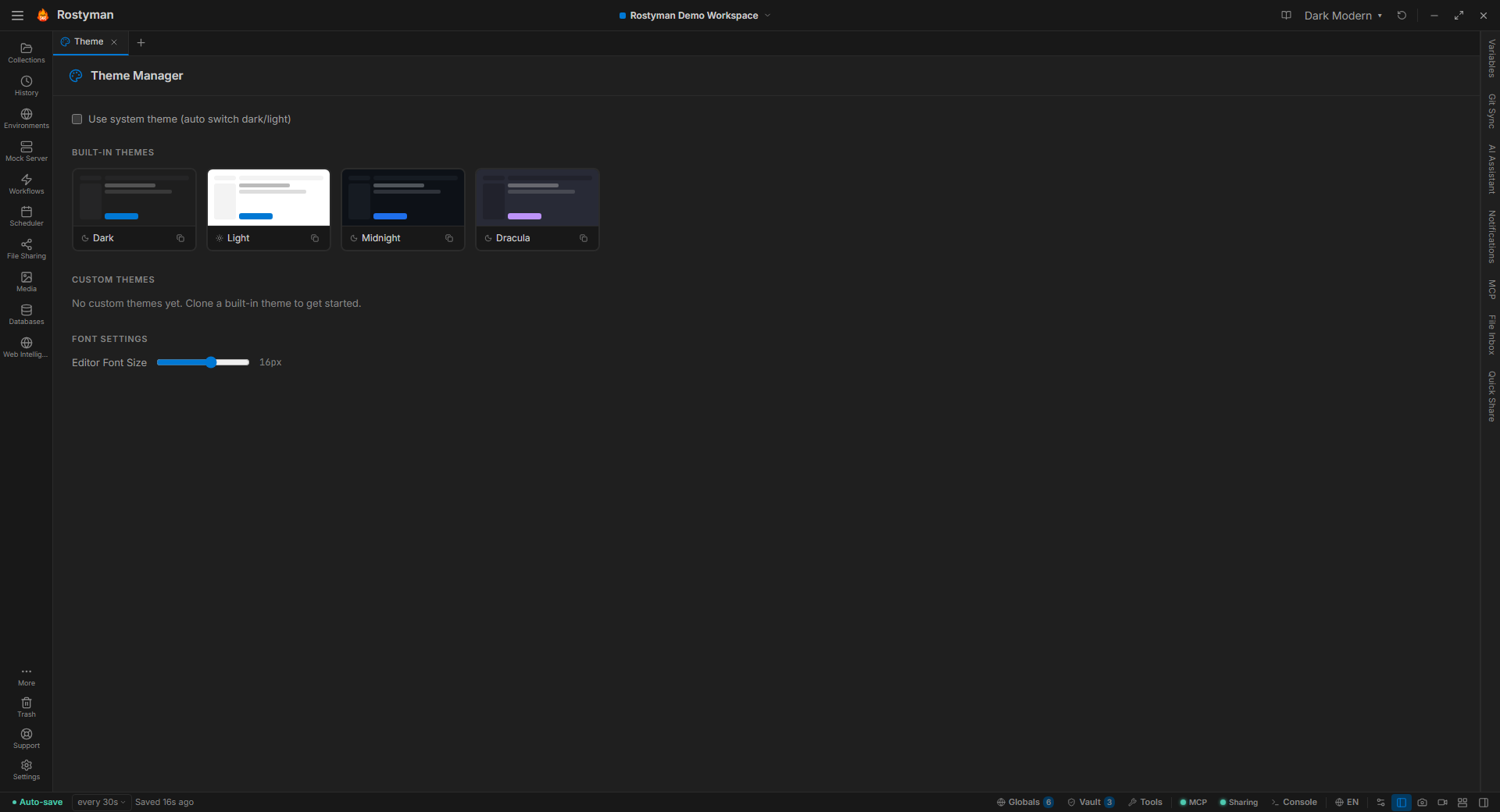
20 hand-tuned themes plus a full theme builder. 18 fully-translated languages plus a Language Manager that lets you edit any string, create new packs, and share them. Make Rostyman look and read the way your team prefers.
Why this is different
Most dev tools ship two themes (dark and light) and five languages. That’s table stakes in 2016; it’s thin in 2026. Rostyman treats personalization as a feature, not an afterthought.
20 themes, hand-tuned
Classics like Dracula, Monokai, and Nord. Modern favorites like Tokyo Night and Catppuccin. GitHub light and dark for when you want to match your editor. All built in — no extensions to install.
Or build your own.
Open the Theme Manager from the sidebar, clone any built-in theme, tweak 17 color tokens across 5 categories, save. Your custom theme appears in the title-bar picker right next to the defaults — indistinguishable from a first-class theme.
18 languages, fully translated
Every string, every tooltip, every error message. Right-to-left direction support for Arabic with the critical UI chrome (titlebar, status bar, workspace switcher) properly mirrored.
en
English
es
Español
fr
Français
de
Deutsch
pt-BR
Português
ru
Русский
ja
日本語
ko
한국어
zh-CN
中文
ar
العربية
hi
हिन्दी
bn
বাংলা
ta
தமிழ்
te
తెలుగు
ml
മലയാളം
kn
ಕನ್ನಡ
mr
मराठी
gu
ગુજરાતી
Switch languages live — no restart needed.
Fix a translation. Ship your own language.
Open the Language Manager from the sidebar. Override any string in a built-in language, or create a brand-new language pack from scratch. Every change is local and shareable — export a pack as JSON, send it to your team, import it on their machines.
Override any string
Edit individual keys in any of the 18 built-in languages. Your company’s terminology, your tone. Resets cleanly if you change your mind.
Create new language packs
Start a fresh pack with meta (name, native name, script, RTL flag). Fill in what you need; Rostyman falls back to English for anything missing.
Import community packs
Drop a .json pack in. Validation preview shows added / missing / extra keys before you commit — you see exactly what you’re installing.
Export and share
Any language — built-in or custom — exports as a single JSON file. Share with your team, commit to Git, post to a wiki.
Completion percentage shown per language, per-key override count, validation for mismatched keys.