REQUEST HISTORY
LiteUndo for your entire request history.
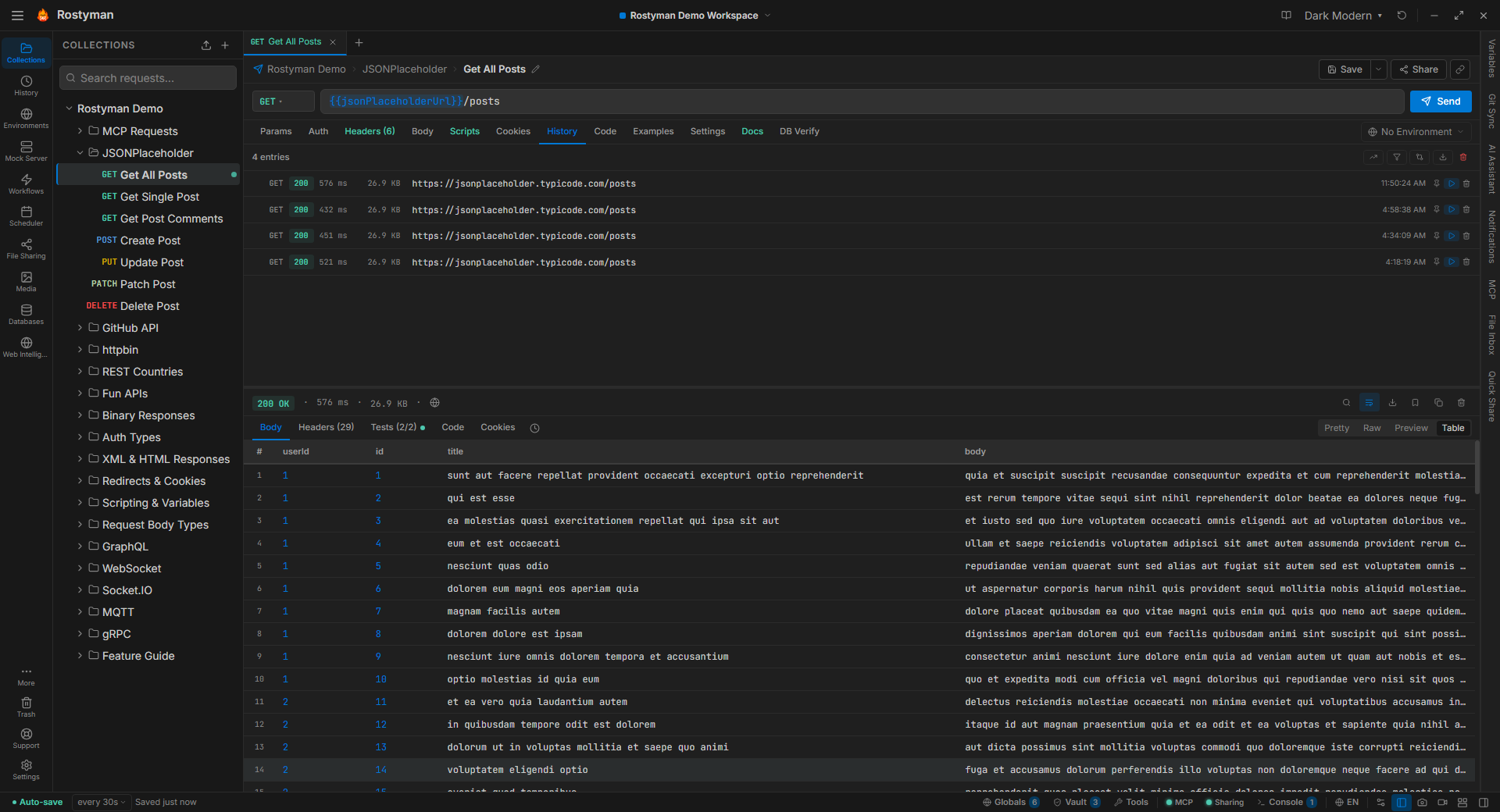
Every request, every response, every header — saved automatically. Click any entry to restore the request editor to exactly how it looked at the time. Debug the bug you fixed three hours ago.
Why this is different
Most API clients show you a flat global history of URLs you've hit. Rostyman captures full snapshots — headers, body, auth state, environment values, and the complete response — tied to each request. One click jumps you back to that moment, perfectly.
Two views of the past
Per-request history
Every saved request keeps its own timeline. Sort by date, filter by status code, search by response body. Restore any run into the editor without losing your current work.
- Full snapshot: params, headers, body, auth, env at time of send
- Response preserved: status, headers, body, timing
- Restore into a new tab — keeps your current draft safe
Global timeline
Every request from every collection, in one reverse-chronological list. Great for rewinding a debugging session, or finding "that thing I tried last week."
- Search across URLs, methods, status codes, workspaces
- Group by day or by collection with one click
- Clear selectively — or soft-delete to Trash for 30 days
Workflow runs, too
Every workflow execution is a recordable event. Open the Run History tab on any workflow and replay a past run — step by step, with the exact request/response at each node.
Replay any run
Re-run with the same variables, same state, same conditions.
Inspect every step
Click a node, see the exact request, response, and variables at that point in the run.
30 runs retained
The last 30 workflow runs per workflow are stored locally — search, filter, and delete from the History tab.
Local. Always.
Your request history lives in a SQLite file on your machine. It's never uploaded, never synced, never analyzed. Delete it whenever you want — or wipe it by deleting the app's data directory. The only record is the one you keep.