FILE SHARING
LiteShare files on your LAN. No cloud involved.
Discover devices on your network automatically using mDNS, send files with TLS 1.3 encryption, coordinate with your team — all without a server, a cloud account, or any configuration.
Zero-config, zero-trust
Open the app
Rostyman automatically advertises itself on your local network using mDNS/Bonjour. No IP addresses to remember, no ports to configure.
See your teammates
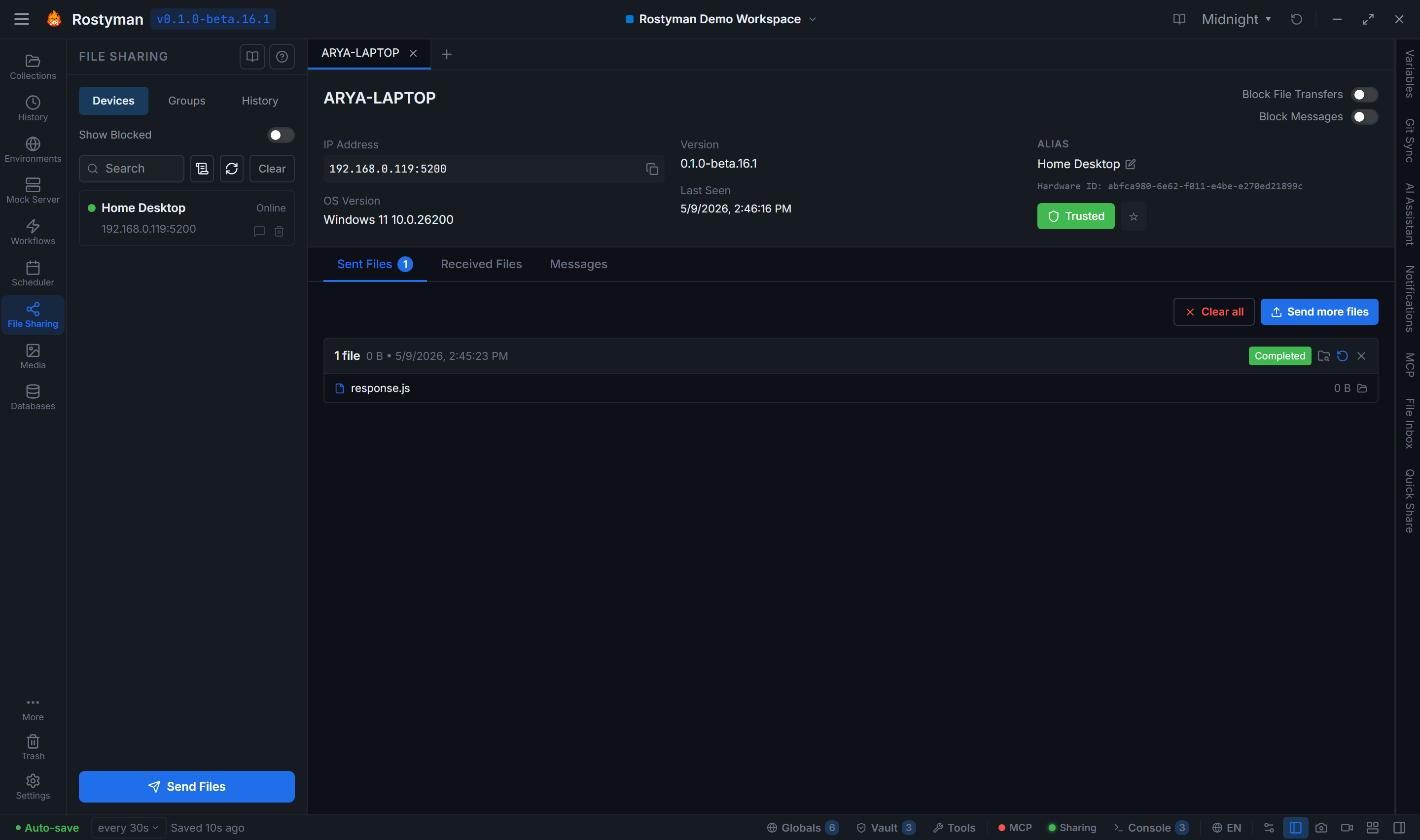
Devices running Rostyman on the same network appear automatically. Online status is live — you see when they come and go in real time.
Send files
Drag files onto a device, or click Send Files. The recipient sees an approval dialog. Once accepted, the transfer begins with TLS 1.3 encryption.
Secure by design
Every transfer is end-to-end encrypted. No data touches a server.
TLS 1.3 encryption
Every file transfer uses TLS 1.3 with self-signed certificates generated locally. The same protocol used by HTTPS for banking — for your local transfers.
Explicit approval required
Incoming transfers require explicit acceptance. Recipients see the file name, size, and sender before accepting. Transfers can be rejected or blocked.
No relay server
Transfers are direct, device-to-device. No cloud relay, no Rostyman server in the middle, no upload bandwidth consumed.
Transfer handshake protocol
Senders wait for ACCEPTED/REJECTED/BLOCKED confirmation before streaming data. 60-second timeout with automatic cancellation.
Stable hardware-ID identity
Devices are identified by a stable hardware ID derived from BIOS UUID (Windows), IOPlatformUUID (macOS), or /etc/machine-id (Linux). Renaming a device doesn't orphan its history; reinstalling Rostyman doesn't lose your trust list.
Block by hardware ID
Blocking a device is enforced by hardware ID, not IP address. Block once and they stay blocked across network changes, renames, and reinstalls. Both messages and files honor the block.
Goodbye broadcast
Turn off auto-discovery and Rostyman sends a goodbye to every peer so they see you offline immediately — no waiting for an mDNS timeout.
Device-global, not workspace-scoped
Your trusted devices, transfers, and chat history live across all workspaces. Switching workspaces doesn't hide a device or lose a transfer.
Groups — for teams that share a lot
Bundle a set of devices into a group and treat them as one destination. Send a file to the group; everyone gets it. Open the group; see all the chatter and history in one place.
Members tab
See every device in the group with online status. Add or remove members anytime — changes propagate to everyone in the group.
Messages tab
A single merged timeline of group chatter. WhatsApp-style date headers, emoji reactions, file attachment cards — exactly like 1:1 chat, just shared.
Sent Files tab
Every file you sent to the group, with status per recipient. Filter by name, sort by date.
Received Files tab
Everything the group sent you, in one place. No hunting through individual device threads.
More than just files
Emoji reactions
React to any message with emoji — 700+ across 7 categories. React with a single click or search for the perfect one. Reactions sync in real time to all devices.
Delivery status
Every message and file transfer shows delivery status — pending (clock), delivered (checkmark), failed (X). You know exactly when the other side received your message.
Offline message queuing
If the recipient is offline, messages and transfer requests are queued locally. When they reconnect, everything is delivered automatically. Up to 5 retries over 24 hours.
File attachment cards
Sent files appear as rich attachment cards in the message thread — showing file name, size, and a preview icon. Click to open the file directly from the transfer.
Groups
Organize devices into groups — by project, by team, or by location. View merged message timelines, sent files, and received files across all group members in one place.
Quick Share
A dedicated Quick Share panel in the right sidebar (Ctrl+J) lets you pick a trusted device, drag in files, attach a message, and send — all in seconds. Supports :shortcode: emoji conversion and optional password protection.
Start sharing files on your LAN today
LAN file sharing ships free in Rostyman Lite. No cloud, no account, no configuration required — works out of the box.
Download Free