CODE GENERATION
LiteYour request. In their language.
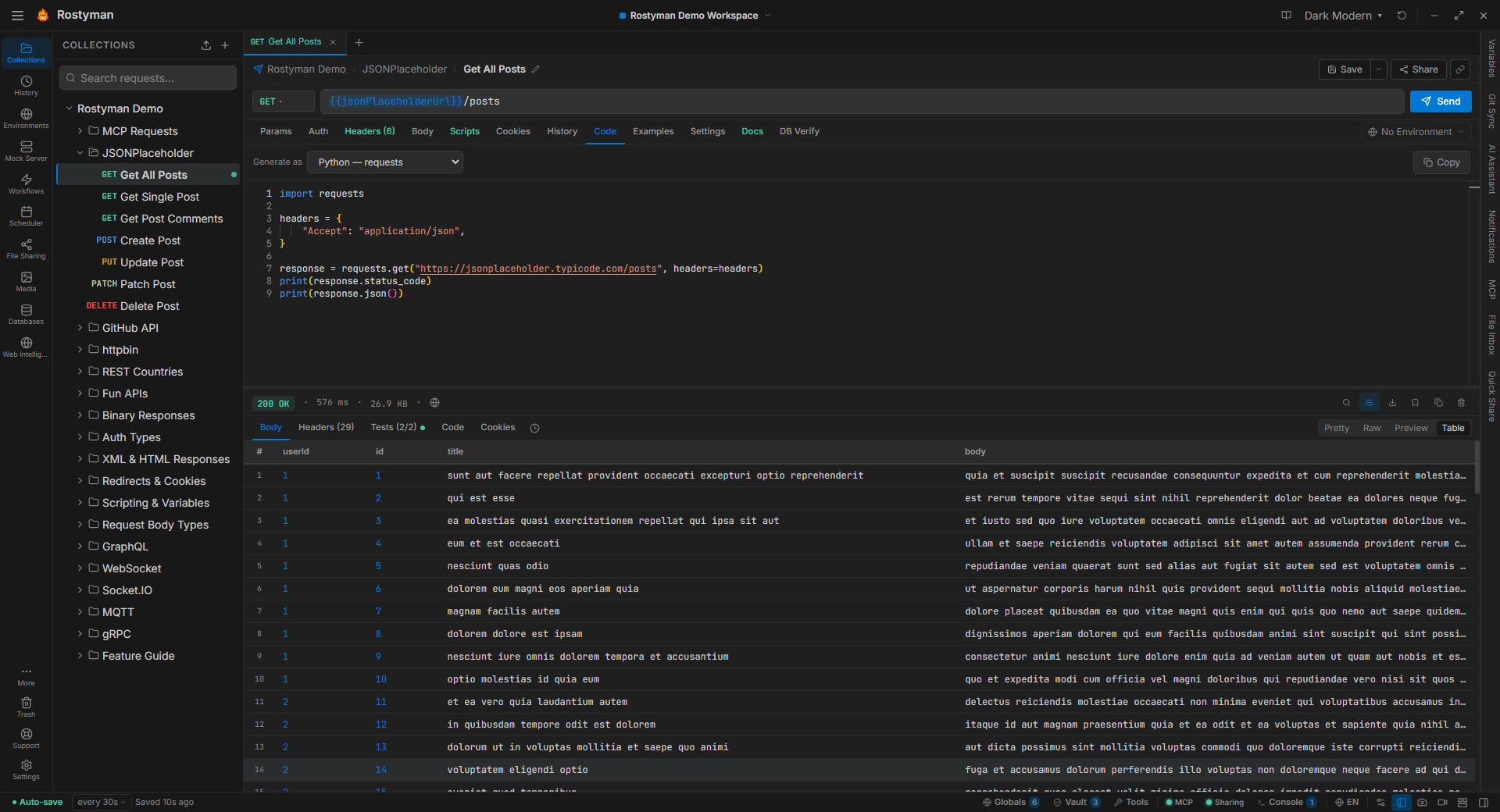
Every request in Rostyman can be exported as production-quality code in 17 languages and libraries. One tab, one click, copy and paste. No retyping, no guessing syntax.
Why this is different
Most tools generate cURL. That's it. Rostyman covers the spectrum — a Swift developer on iOS, a Go microservice author, a Rust systems engineer — all get snippet output tuned to the idioms of their ecosystem, with proper error handling and header escaping.
17 targets, one click away
Switch via the Code tab in any request. Pick a language, copy the snippet, paste into your project.
Same request, every language
Here's a POST /api/users with a JSON body and a bearer token, rendered four ways.
curl -X POST https://api.example.com/users \
  -H "Authorization: Bearer ${TOKEN}" \
  -H "Content-Type: application/json" \
-d '{"name":"Alice","role":"admin"}'import requests
response = requests.post(
"https://api.example.com/users",
headers={"Authorization": f"Bearer {TOKEN}"},
json={"name": "Alice", "role": "admin"},
)
response.raise_for_status()body := bytes.NewBufferString(`{"name":"Alice","role":"admin"}`)
req, _ := http.NewRequest("POST", "https://api.example.com/users", body)
req.Header.Set("Authorization", "Bearer "+token)
req.Header.Set("Content-Type", "application/json")
resp, err := http.DefaultClient.Do(req)var req = URLRequest(url: URL(string: "https://api.example.com/users")!)
req.httpMethod = "POST"
req.setValue("Bearer \(token)", forHTTPHeaderField: "Authorization")
req.setValue("application/json", forHTTPHeaderField: "Content-Type")
req.httpBody = #"{"name":"Alice","role":"admin"}"#.data(using: .utf8)Variables. Handled.
Generated code references your environment and vault variables by name. Nothing hardcodes a production token into the snippet you paste into Slack. Teammates paste the same code, plug in their own values, and it just runs.